Edge AI Experiment · December 2024
Experimenting with Tiny AI Models in Browsers: Real-Time Intelligence at the Edge
What if AI could run entirely in your browser—no servers, no API calls, no network latency? I’m testing 25,000-parameter models for client-side inference. Here’s what I learned about edge AI, browser deployment, and when tiny models make sense.
At 2am on a Tuesday in late November, I ran a test inference through my TRM pricing model. The terminal showed 16ms.
I’d just exported a 25,000-parameter neural network to ONNX format and loaded it into my browser using ONNX Runtime Web with WebGL acceleration. My baseline expectation was 100-200ms for client-side inference—fast enough to be usable, but not groundbreaking.
I ran it again. 14ms. Again. 18ms. The tiny model was consistently running inference in 10-30ms in my browser.
That moment kicked off a month of experimentation testing small AI models for browser deployment—not as a production solution, but as a way to understand where tiny models might fit in real applications.
The Vision: AI Without Servers
Most AI today lives in the cloud. You send a request to OpenAI or Anthropic, wait for a response, and pay per token. But what if AI could run entirely in your browser—no servers, no API keys, no network latency?
That’s the promise of edge AI: bringing intelligence to the client-side. Privacy-first (no data leaves your device), offline-capable (works without internet), and instant (no round-trip to servers).
I’m testing TRM (Tiny Recursive Models)—25K-parameter neural networks designed for constraint satisfaction problems. Instead of a large model making one prediction, TRM uses a small model that refines its answer multiple times through recursive application.
This isn’t about replacing GPT-4 or Claude. It’s about exploring a different question: For narrow, well-defined tasks with clear constraints, can tiny models running client-side deliver acceptable accuracy at dramatically lower latency—without any server infrastructure?
I chose pricing applications as my test case—travel packages, e-commerce products, and testing tools. These are real-world scenarios where users adjust sliders and expect instant feedback. Perfect for browser-deployed AI.
Experimental Status
These are prototypes and test applications. I’m experimenting and testing—not deploying to production. The goal is to learn what’s possible with browser-deployed AI and identify real limitations.
Three Experiments
1. InstantQuote: Travel Booking Pricing
The Task: Calculate real-time pricing for travel packages (flight + hotel + car rental) based on 16 input features including routes, dates, traveler count, cabin class, hotel stars, loyalty tier, and promo codes.
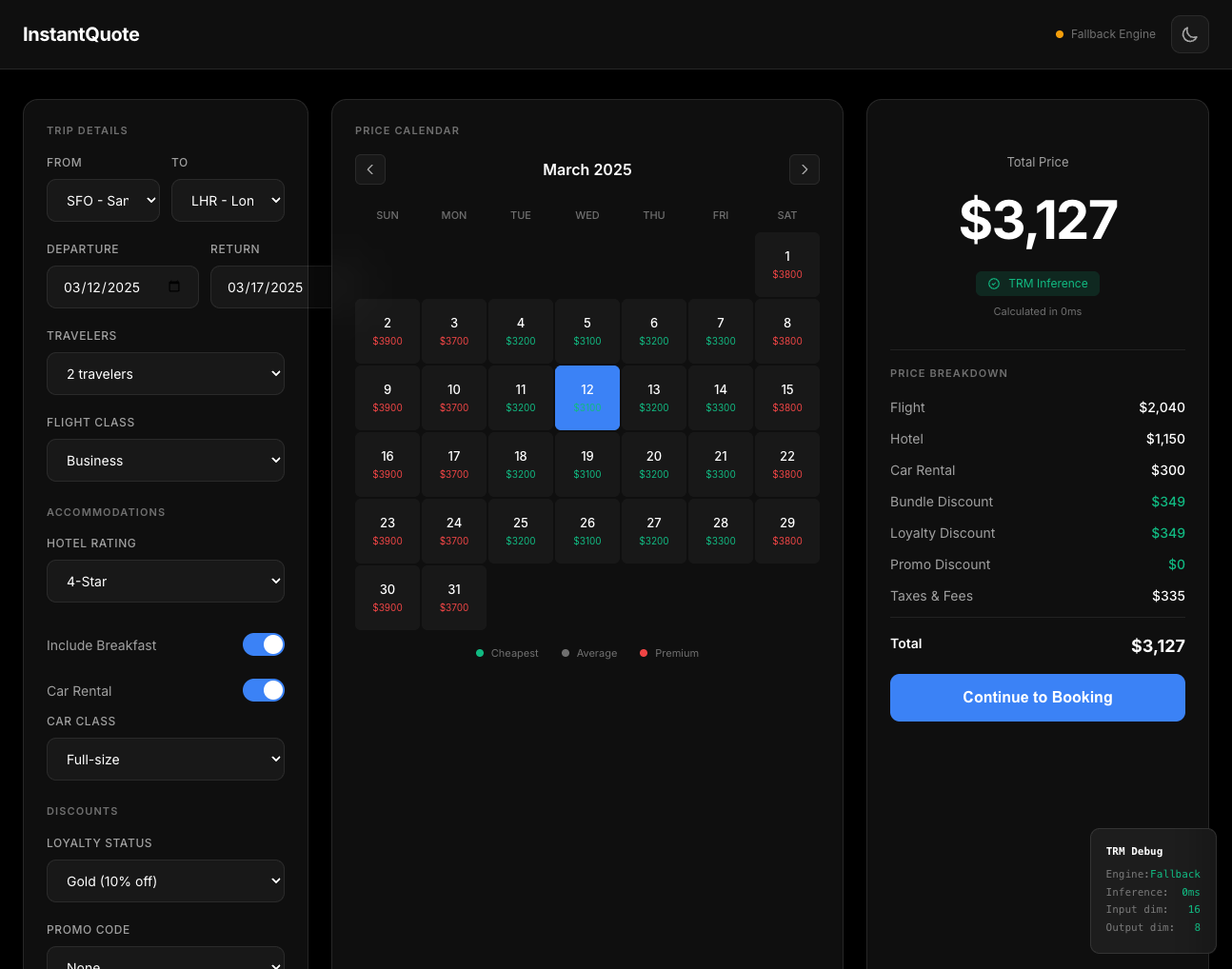
InstantQuote: Real-time travel package pricing with TRM running in-browser
The Model:
- TRM with ~25K parameters
- Input: 16-dimensional configuration vector
- Output: 8 price components (flight, hotel, car, discounts, taxes, total)
- Training: 50,000 synthetic examples
Results:
| Metric | Value | Notes |
|---|---|---|
| Mean Absolute Error | $434 | On test set |
| R² Score | 0.976 | Strong fit |
| Browser Latency | 10-30ms | WebGL accelerated |
| Model Size | ~100KB | ONNX format |
Key Learning
For synthetic pricing with consistent patterns, TRM achieves acceptable accuracy (~7.6% mean error) with near-instant inference. The $434 MAE is high for complex packages but reasonable for exploration-phase pricing UIs where users are adjusting sliders and want instant feedback.
2. SmartPrice E-commerce: Product Dynamic Pricing
The Task: Calculate product pricing with multiple discount layers—bulk discounts, customer segment discounts, loyalty discounts, promo codes—plus shipping and taxes.
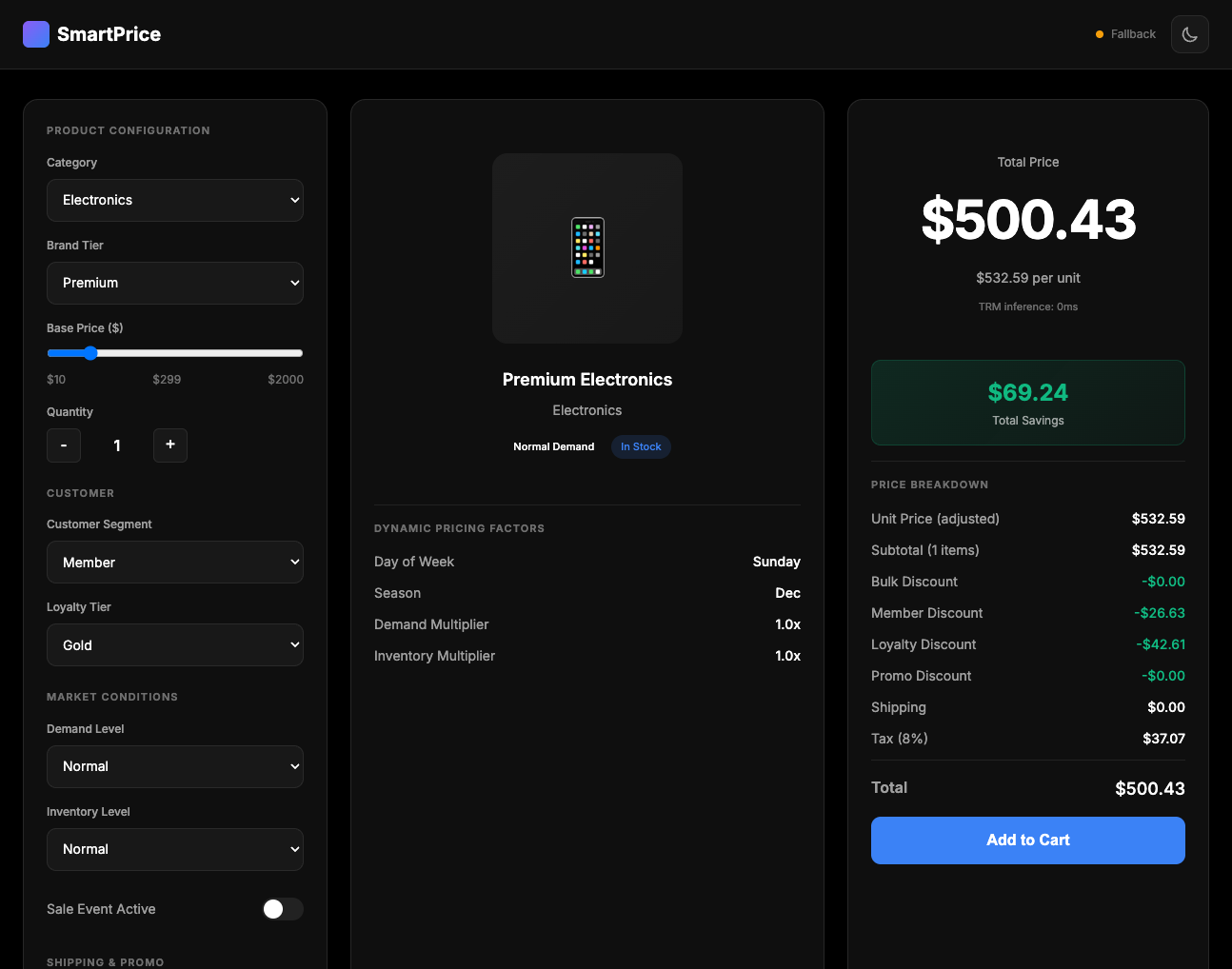
SmartPrice: E-commerce pricing calculator with layered discounts
Results:
| Metric | Value |
|---|---|
| Mean Absolute Error | $157 |
| R² Score | 0.973 |
| Mean % Error | 24.9% |
Key Learning
E-commerce pricing showed higher percentage error (24.9%) despite strong R² fit. This suggests the model handles relative pricing patterns well but struggles with absolute accuracy on low-value items. Likely needs segmented models (low-value vs. high-value products).
3. Admin Simulator: Model Testing Tool
The Task: Build a testing tool for validating TRM pricing models with different customer personas and configurations.
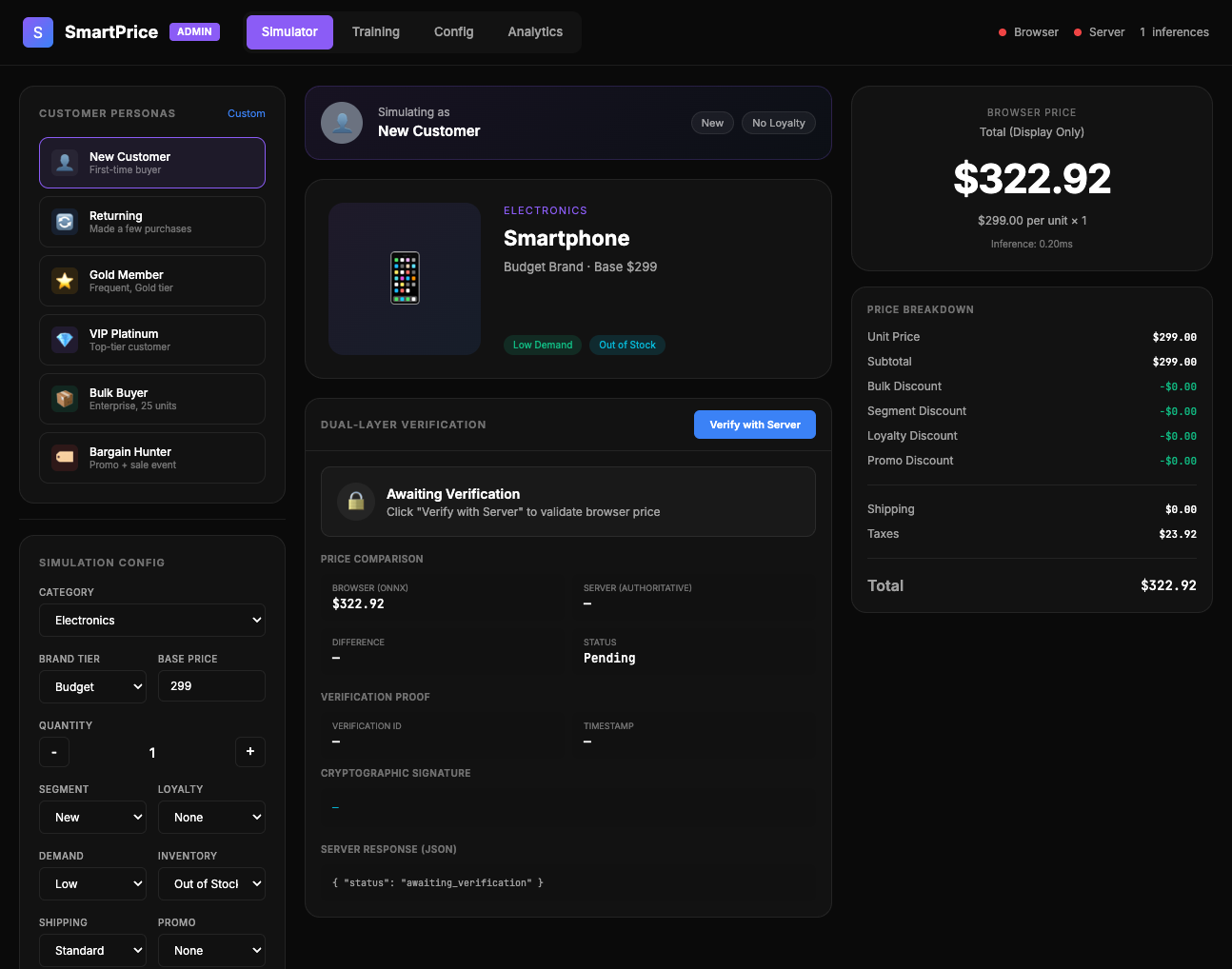
Admin Simulator: Testing interface for validating pricing model predictions
This tool highlighted the importance of model testing infrastructure. The ability to run hundreds of test scenarios client-side (no server calls) made rapid iteration much faster. Model validation is easier when the model runs in the same environment as the test UI.
How TRM Works
The core insight behind TRM is that recursive application of a tiny network can achieve strong performance through iterative refinement.
Instead of a large model making one prediction, TRM uses a small model that refines its answer multiple times:
Input (16-dim config)
  → Embed to latent space (64-dim)
  → Refine step 1: Improve representation
  → Refine step 2: Further improvement
  → ...
  → Refine step 8: Final improvement
  → Project to output (8-dim pricing)
Model Statistics:
- Total parameters: ~25,000
- Refinement steps: 8 (configurable)
- Model size (ONNX): ~100KB
- Inference time (browser): 10-30ms
What I Got Wrong
Mistake #1: One Model for All Scenarios
The e-commerce model’s 24.9% error rate taught me that different value ranges need different models. Low-value products ($10-$100) have different discount patterns than high-value items ($1,000+). Next iteration: train separate models per price segment.
Mistake #2: Not Testing Edge Cases Early
The travel model’s max error of $9,857 came from rare configurations (first-class, 9 travelers, luxury hotels, peak season). I should have generated more tail-case training data.
When Edge AI Makes Sense (And When It Doesn’t)
After these experiments, here’s my thinking on when browser-deployed AI is the right choice:
Good Fit For:
- Real-time interactive UIs: Pricing calculators, configuration tools, design assistants where users adjust sliders and expect instant feedback (no API latency)
- Privacy-first applications: Medical data analysis, financial planning, personal assistants where data cannot leave the device
- Offline-capable apps: PWAs, mobile apps, field tools that need AI inference without internet connectivity
- Constraint satisfaction problems: Scheduling, resource allocation, route planning with clear boundaries and rules
- Cost-sensitive high-volume use cases: When you’d make millions of API calls, browser deployment can be 1000x cheaper
Not a Good Fit For:
- High-stakes decisions: Model error rates (7-25%) too high for production pricing, medical, financial
- Open-ended generation: TRM can’t replace GPT-4 for creative or complex reasoning tasks
- Evolving patterns: Retraining and redeploying browser models is harder than updating server-side models
Key Takeaways
- Browser-deployed AI is viable for specific use cases: Real-time interactive UIs, privacy-sensitive applications, and offline-first tools can benefit from client-side inference
- Latency is a game-changer: 10-30ms browser inference with ONNX Runtime Web + WebGL means truly instant AI responses—no API round-trips, no waiting
- Tiny models work for constrained problems: 25K-parameter TRM models achieve ~90% accuracy on well-defined tasks like pricing, scheduling, and resource allocation
- Edge AI enables new patterns: Privacy-first (data never leaves device), offline-capable (no internet needed), and cost-effective (no API fees for millions of inferences)
- Know the limitations: 7-25% error rates mean browser models are for exploratory UIs and low-stakes decisions, not production-critical systems
Reference
Jolicoeur-Martineau, Alexia, et al. “Less is More: Recursive Reasoning with Tiny Networks.” arXiv preprint arXiv:2510.04871 (2025).
 about people, places, things and EXPERIENCES
Leave a comment